haane AI

Connecting the dots, uniting your mental health team.

A client and consultation history management system for counseling offices, corporate EAP programs, and care workers. Maintain reliable records of support and streamline handoffs and team collaboration.

Sign Up Now
Demo

Try the demo environment first

We offer a demo environment with sample data. When signing up, select "I want to try the features (use demo environment with sample data)" to get access to the demo.

Online overview

We will explain the overview online

We will explain haane's features and onboarding process online. Please feel free to contact us.

About haane.

haane (葉音) is an information-sharing system that strengthens information collaboration for teams of psychology and social welfare professionals. It enables counseling offices, EAP providers, and hospital psychology and social work teams to safely centralize client information. Even when staff changes, the past history is immediately accessible, helping the entire team build a system that never misses risks. Even in settings handling many clients, AI summarizes and organizes the situation. By streamlining documentation, supporters can focus on their core work: dialogue and coordination.

Benefits for Business Owners

Strengthen Risk Management

Never miss high-risk clients. Build a system for appropriate organizational response. Records remain for any contingencies.

Data-Driven Business Decisions

Track client trends, staff utilization, and risk case patterns to make informed management decisions.

Enhance Organizational Credibility

Complete recording of client information access history. Demonstrate proper management systems during audits and third-party evaluations.

Benefits for Organizational SV

Visualize Team Activities

See client response status and staff activities at a glance. Know in real-time who is doing what and which clients need attention.

Effective Supervision

Review counselor response history in detail for case-based guidance. Track professional growth over time.

Early Risk Detection

AI-powered automatic risk assessment and alerts ensure high-risk clients are never missed, enabling timely intervention.

Benefits for Counselors

Reduce Record-Keeping Burden

AI supports summarization and report creation. Spend less time on records and more time with clients.

Instantly Review Past Records

Instantly check "What did we discuss then?" See long-term changes and recurring patterns more easily.

Smooth Medical Institution Coordination

AI supports creation of referral letters and reports. Structured information enables smooth communication with medical institutions.

Security-Conscious Design

Nickname Management

Clients are managed by nicknames. Choose from suggested options

No AI Training

Client data is never used for AI training purposes

Database Encryption

Sensitive information such as consultation records and chief complaints is encrypted and stored in the database

Two-Factor Authentication

Two-factor authentication is required for all users at login. You can choose TOTP via smartphone app (recommended) or email authentication

World-Standard Security Infrastructure

Defense rules based on the latest attack patterns are automatically applied to minimize the risk of attacks on the server

How to Use

Support your counseling practice with AI in 5 simple steps

01

Register Clients

After obtaining appropriate consent from the client, select a nickname from the suggested options and register the client information.

No need to worry about naming - choose from suggested nicknames
02

Input Consultation History

Record consultation history after each counseling session. Weather information (automatically retrieved) and other data help AI analysis. You can also attach images such as sandbox therapy photos.

Easily attach images like sandbox therapy photos with drag & drop
03

Consult with AI (Optional)

If you have questions about a client, simply enter your question. Client background and past consultation history are automatically shared with AI, so you can ask concisely without explaining context.

AI understands past history, so you can ask concisely like "What are the recent changes in this client?"
AI consultation feature can be turned ON/OFF by administrator. It may not be available depending on office policy
AI consultation history is only visible to the person who made the consultation
04

Generate Reports (Optional)

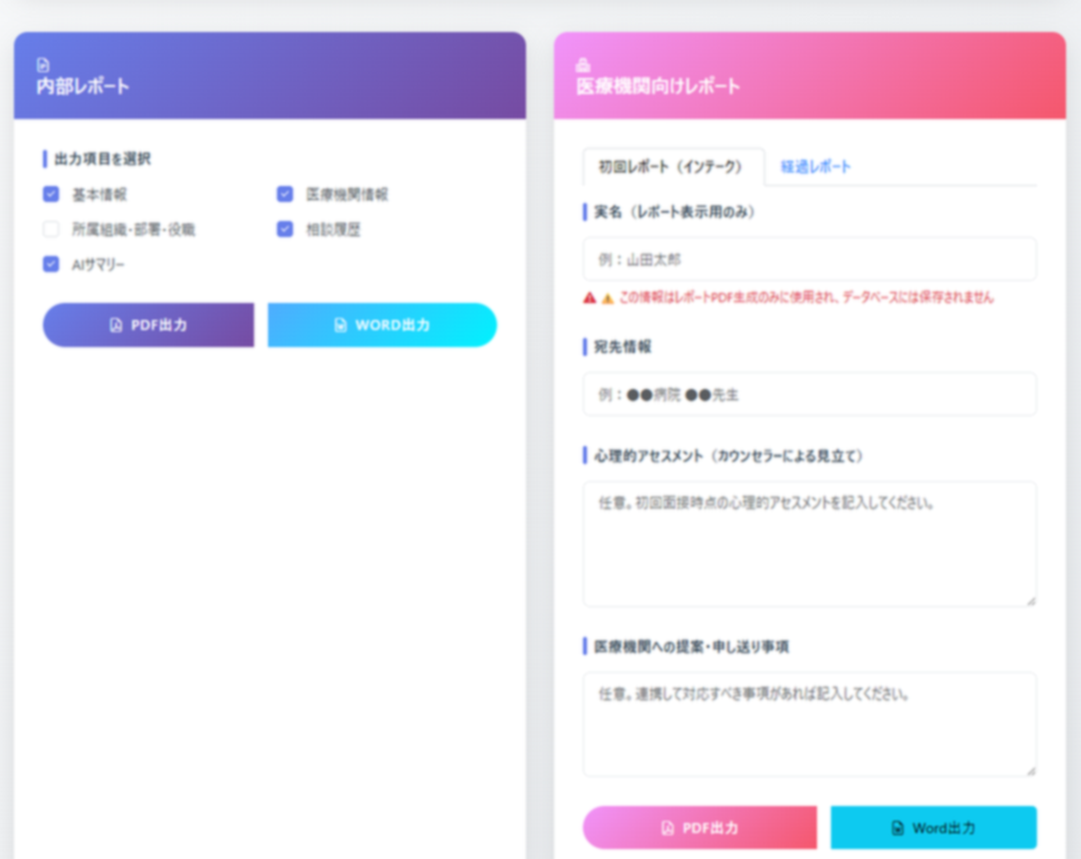
Generate "Internal Reports" for office consultations or "Medical Institution Reports" for information sharing. Optionally, have AI generate "Progress Summary and Observations".

AI summarizes long-term session history and generates professional observations
05

Monitor Situation

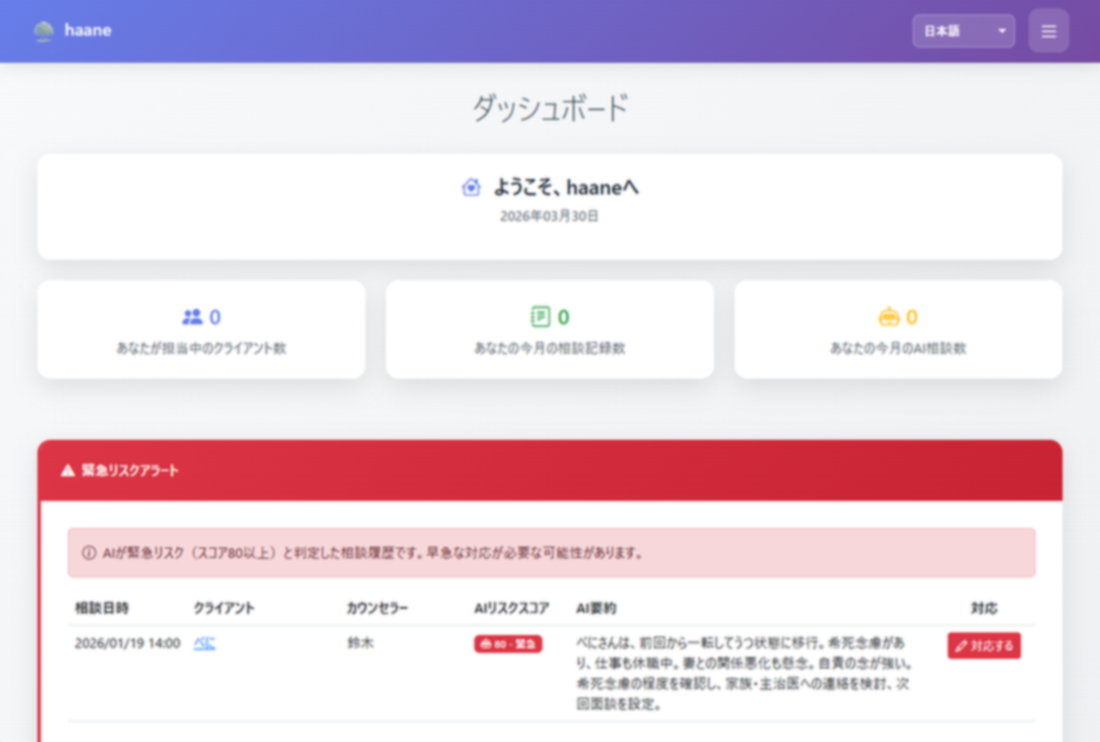
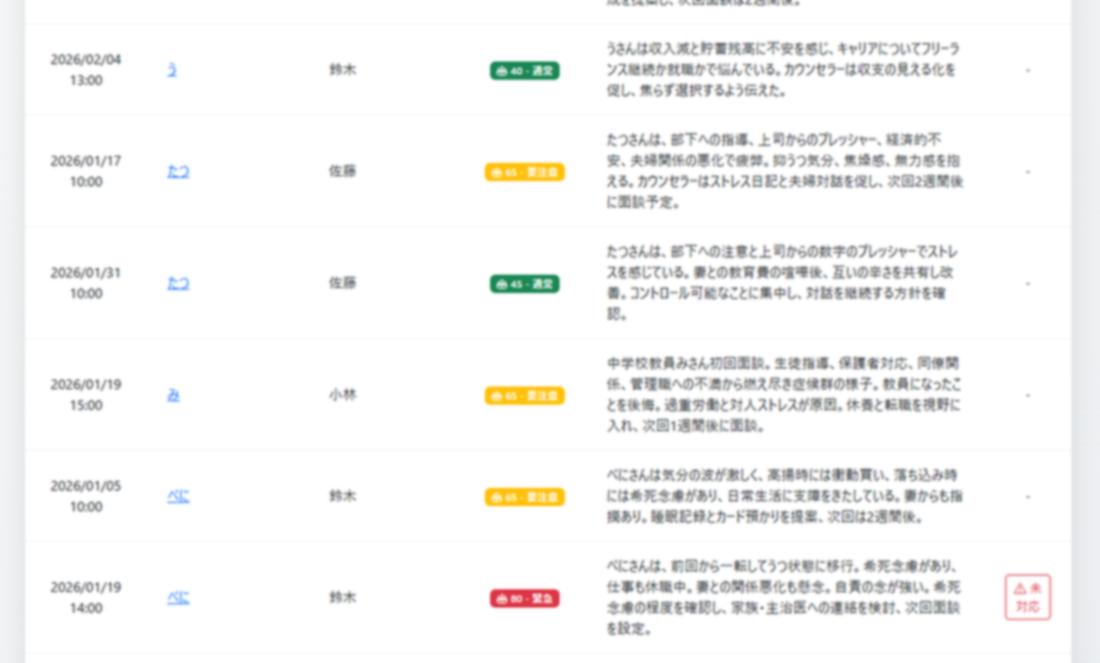
Users with Organizational SV or higher roles can view a list of internal consultation histories summarized by AI. When the AI-determined risk score exceeds a certain threshold, alert notifications are sent to users with Organizational SV or higher roles.

Simple Workflow

For daily counseling work, simply repeat Steps 1 and 2. Consult with AI in Step 3 or generate reports in Step 4 as needed. Achieve professional counseling record management with simple operations.

Pricing Plans

Choose from two plans tailored to your needs.

All amounts shown are tax-inclusive.

Feature
Team Plan
For small to growing offices
Enterprise Plan
EAP & B2B organizations
Initial Setup Fee
¥68,750 (JPY)
Custom quote
Base Fee
¥57,750 (JPY) / month
The first month and the cancellation month are charged on a prorated basis.
Custom quote
Consultation History Usage Fee
Per consultation record registered in the chargeable period (on or after contract start). Multiple records per client are charged per record (e.g. 3 records for one client = 3× fee).
175円 → 100円 / record / month
p(m)=max(100, 175 - 0.388×m)
Free tier: First 200 consultation records/month free
None
Counselor Limit Unlimited Unlimited
Domain Random subdomain Custom domain
Payment Method Invoice only Invoice only
Customization ✕ ◯ (Custom quote)
Internal consultation report & medical institution report generation ◯ ◯
Risk Alert
◯ ◯
Operation Log Download
◯ ◯
Counselor assignment and permissions by client company ✕ ◯
Reports by client company and department ✕ ◯
Setup Time Usually within 7 business days Within 15 business days (* Without customization)
Support Email only Email & Zoom

Billing is in Japanese Yen only.

Team Plan

For growing offices. Usage fee based on number of consultation records; you pay only for records above the free tier.

Sign Up Now

Enterprise Plan

For large organizations. Fully customizable.

Contact Us
For Team Plan

Dedicated Server Option

We provide a server environment dedicated to your company. (This option is offered as a cloud service; on-premises deployment is not available.)

With exclusive use of CPU and memory, you can maintain maximum performance for heavy data processing and concurrent access without being affected by other tenants. Custom domain bring-your-own and IP address restrictions are also available.

Price: From ¥20,000 (JPY) / month

Included in this option:

  • Server spec optimization (selection based on your scale)
  • Bring your own custom domain or new domain registration
  • SSL certificate issuance for your custom domain
  • Outbound email address on your custom domain
  • Access restriction by IP address

How to apply:

Please contact us via the contact form.

Contact Us
For Team Plan

Data Migration Option

Our specialists will handle data migration from data exported from your existing systems or from Excel files used in your organization.

We safely migrate client information and consultation history into the current schema, including data cleaning, field mapping, and validation. Since effort varies greatly depending on data volume and source system structure, pricing is provided as a custom quote.

Price: Custom quote

Typical scope of this option:

  • Requirements gathering on import source data structures
  • Test import and validation (record counts, field checks, etc.)
  • Execution of production data migration and delivery of a simple migration report

How to apply:

Please contact us via the contact form.

Contact Us

2-Week Free Trial

Free for 2 weeks from setup completion date (no charges)

Simple pricing

The Team Plan has a base fee of ¥57,750 (JPY) per month (tax included). Consultation records are free up to 200 per month; from the 201 onward, the unit price decreases smoothly as records increase (with a floor of 100 JPY per record).
Unit price reference: the first billable record is 175 JPY, then p(m)=max(100, 175 - 0.388×m). The first and last months are prorated by the number of days in use.

Monthly Price Comparison by Number of Consultation Records

You can scroll horizontally by swiping within the table. Team plan, 30-day estimate.

Consultation records registered Monthly Fee Per record (reference)
0–200 ¥57,750 (JPY) ¥288.8 (JPY) (at 200 records)
250 ¥66,005 (JPY) ¥264.0 (JPY)
300 ¥73,290 (JPY) ¥244.3 (JPY)
350 ¥79,605 (JPY) ¥227.4 (JPY)
400 ¥84,961 (JPY) ¥212.4 (JPY)
450 ¥89,961 (JPY) ¥199.9 (JPY)
500 ¥94,961 (JPY) ¥189.9 (JPY)
550 ¥99,961 (JPY) ¥181.7 (JPY)
600 ¥104,961 (JPY) ¥174.9 (JPY)
650 ¥109,961 (JPY) ¥169.2 (JPY)
700 ¥114,961 (JPY) ¥164.2 (JPY)

Points to Note

  • Month-end billing: Monthly fees are finalized at month-end
  • Enterprise Plan: Direct signup from this site is not available. Please contact us via the contact form first

Frequently Asked Questions About Pricing

Q. Why is there an initial setup fee of ¥68,750 (JPY) (tax included)?

A. It covers the setup work to build a dedicated tenant environment for your organization (including domain and security configuration). We also share important notes online and provide initial onboarding support (1–2 sessions).

Q. Why are up to 200 consultation records free of usage fees?

A. Usage fees are charged per consultation record registered in the chargeable period. The first 200 records per month are free; beyond that, the per-record fee applies. This keeps pricing simple and predictable.

Q. How are fees calculated if I start or terminate in the middle of a month?

A. The basic usage fee is prorated based on the number of days you actually use the service in that month, using the monthly fee of ¥57,750 (JPY) divided by the number of days in the month (timezone fixed to Japan Standard Time, JST). Consultation history usage fees are calculated based on the number of consultation records registered during the chargeable period.

Key Features

All plans

Client Management

Nickname management, detailed information

All plans

Consultation History

Detailed records, auto-save, image attachment

All plans

AI Support

Risk assessment, summarization, consultation

All plans

Report Generation

Internal & medical reports, PDF/Word output

All plans

Security & Compliance

2FA, encryption, audit logs

All plans

CSV Bulk Management

Import/export, data migration

All plans

Staff Management

Permission management, organization structure

All plans

Multi-language Support

Japanese, English, Spanish

All plans

Risk Alert

AI auto-detection, instant manager notification

All plans

Operation Log

Download by period as ZIP (CSV), keep as audit trail

Enterprise

Counselor assignment by client company

Assign counselors and set view/edit permissions per client company

Enterprise

Reports by client company & department

Generate reports by company or department for EAP and reporting

Feature Details

Client Management

All plans

Manage client information safely with nickname-based management without registering real names. 27 detailed fields (family structure, occupation, living environment, health information, etc.) are protected with strong encryption.

  • Privacy protection with nickname management
  • Status management (Active/Paused/Completed)
  • 27 detailed information fields (encrypted)
  • Organization, department, and position management
  • Multiple staff assignment support

Consultation History Management

All plans

Comprehensive recording features to understand the full picture of counseling sessions. Auto-save protects data during input. Image attachment (sandbox therapy, etc.), automatic weather data retrieval, risk level assessment, and more.

  • Record start/end times, consultation format, themes
  • Auto-save feature (protects data during input)
  • Image attachment (sandbox therapy, etc.)
  • Automatic weather data retrieval
  • Risk level assessment (4 levels) and risk type classification
  • Track health status (sleep/appetite/medication)

AI Support

All plans

AI assistant understands client history and supports counselors. Risk assessment, summarization, and consultation features. Client data is never used for AI training. Usage limits: 50/hour, 300/day.

  • AI risk assessment (automatic risk evaluation)
  • AI summarization (consultation history summary)
  • AI consultation (chat format)
  • Usage limits: 50/hour, 300/day (per staff)

Report Generation

All plans

Support both internal reports and medical institution reports. AI summarization feature can concisely summarize long-term session history. PDF and Word format output supported.

  • Internal reports (basic info, consultation history, AI analysis)
  • Medical institution reports (chief complaint, diagnosis, health info, consultation history)
  • PDF/Word format output

Security & Compliance

All plans

Multi-layered security protects confidential information. Two-factor authentication, strong encryption, audit logs, account lockout, IP restrictions, and more. Privacy regulation-compliant deletion features.

  • Two-factor authentication: Smartphone app (TOTP) or email authentication
  • Strong encryption: 27 confidential fields encrypted
  • Audit logs: Record all operations
  • Account lockout: 5 failures = 30min lock, IP restriction: 10 failures/5min = 15min block
  • Privacy regulation compliance: Complete erasure of personal information on deletion

CSV Bulk Management

All plans

Bulk import/export of client information, consultation history, and medical facility information. Manage 4 CSV files in ZIP format. Duplicate checking, data validation, audit log recording for safe data migration.

  • Export: 4 files in ZIP compression
  • Import: ZIP analysis, data validation
  • Duplicate checking: Detect nickname duplicates
  • Audit logs: Record per client

Staff Management

All plans

Role-based permission management sets appropriate access rights per staff. Organization/department management, granular permission settings, and more.

  • Role-based permission management (owner, manager, counselor)
  • Granular permission settings (CSV operations, billing, audit logs, staff management, etc.)
  • Organization and department management
  • Password change and email notification features

Multi-language Support

All plans

Support for 3 languages: Japanese, English, and Spanish. Handle clients from diverse backgrounds and support counseling work in international environments.

  • Japanese support
  • English support
  • Spanish support

Risk Alert System

All plans

AI automatically analyzes consultation history and determines client risk levels. When high risk is detected, managers are immediately notified via email. Early detection and response help prevent serious situations.

  • Automatic AI risk score assessment
  • Instant detection of high-risk clients
  • Automatic email notifications to managers
  • Detailed display of risk assessment reasons

Operation Log Download

All plans

The system records all operations (who, when, and what). You can download logs for a specified period as a ZIP file (containing CSV). Use for audits, third-party evaluations, or storing evidence of organizational response.

  • Download operation logs as ZIP (CSV) for a selected period
  • Records date/time, counselor name, email, data type, data name, action, and IP address
  • Only staff with permission can download
  • Logs may contain confidential information; handle with care

Counselor assignment and permissions by client company

Enterprise

When serving multiple client companies (e.g. EAP contracts), assign counselors per company and set view/edit permissions. Prevents information mixing across companies and supports contract-based operations.

  • Assign counselors per client company (organization)
  • Set view and edit permissions per company

Reports by client company and department

Enterprise

Aggregate and output reports by client company or department. Use for monthly EAP reports or department-level usage. Supports AI-generated report drafts.

  • Report aggregation by company and department
  • AI-generated monthly report drafts

Post-Registration Schedule

Smooth start from registration to environment setup

1

Registration

Apply via the form (invoice payment only)

Payment is by bank transfer to the designated account after invoice is issued
2

Environment Setup

Your dedicated environment will be set up usually within 7 business days after registration

Usually completed in 3-4 business days
3

Start Using

You can start using immediately after environment setup

Free for 2 weeks from setup completion date (no charges)

AI Feature Usage Limits

The following rate limits are set for Gemini AI communication

Per Hour

50 times

Per counselor

Per Day

300 times

Per counselor

These limits are set for stable Gemini API operation and cost management. Sufficient for normal counseling work.

Eliminate information fragmentation and deliver high-quality support as a team.